Field notes · GoBRS
Boundary research tools for the intelligence age
Start from the town tax map, trace every lot's chain of title through time, and keep each deed linked to the words that matter.
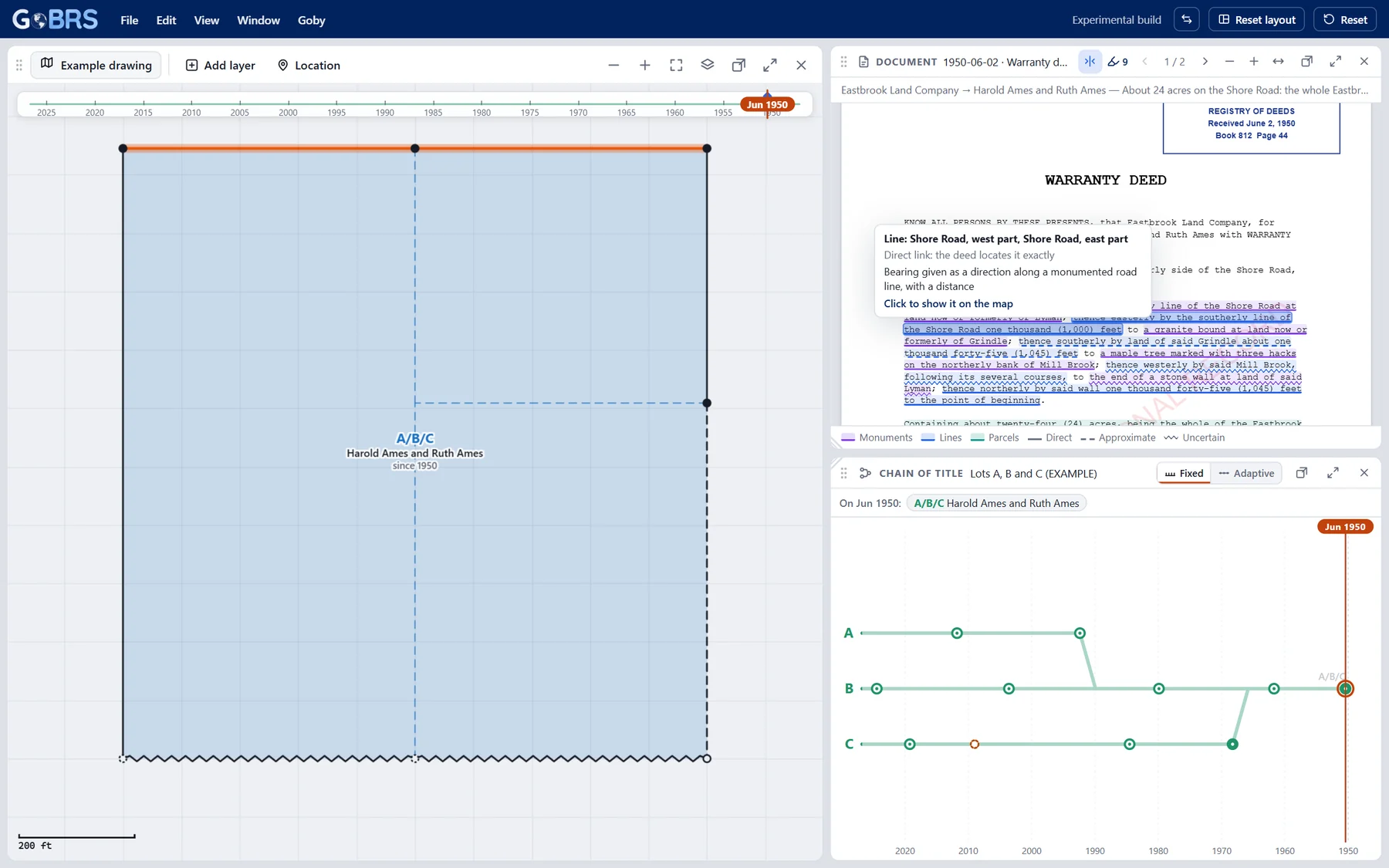
What's inside
GoBRS keeps a job's map, chain of title and documents together, so you can see how a parcel came to be and check every step.
| Item | Notes |
|---|---|
| Built on the tax map | Open a town tax map and set its scale and north. Lots are drawn on top as they stood on any date you choose. |
| Chain of title through time | Each lot is a line that splits and merges as deeds divide and combine it. Drag the timeline and the map and the chain move together. |
| Deeds you can trace | Every deed opens beside the map. Quotes from its description link to the monuments, lines and lots they describe, graded as direct, approximate or uncertain. |
| Works offline | Save a whole job as one .gobrs file, carry it on a USB stick, and open it on a computer with no internet. Every PDF and annotation still works. |
| Free viewer for your clients | Attorneys, title companies and clients can open a job and look at the map, chain, documents and annotations without a subscription. |
Apply for the Beta
GoBRS is currently in Beta testing, and we are looking for land surveying professionals who would like to try our tools in advance at a discounted price and provide feedback.
To apply, email frank@gobrs.ai.
Get launch news
Leave your details and we'll email you when GoBRS goes on sale.
Thank you, you're on the list.
We'll email you when GoBRS goes on sale.
Questions
When can I buy GoBRS?
Not yet. GoBRS is currently in Beta testing; to apply for the Beta, email frank@gobrs.ai. Sign up for launch news and we'll email you when it goes on sale.
Is my data shared with anyone else?
No. The Manual Editor keeps your projects on your computer.
What happens to my work if I stop paying?
Your work is always yours. If a licence lapses, GoBRS still opens, shows, prints and downloads every project; it just can't create or change anything. You are never locked out of your own work.
Can my clients see a job without subscribing?
Yes. The free viewer opens any GoBRS project for viewing only. It is built without the editing code.
Can I cancel?
Yes. Cancel any time from the billing link Stripe emails you. Your server is stopped when the subscription ends.